 1–2 · easy to expert
Sudoku
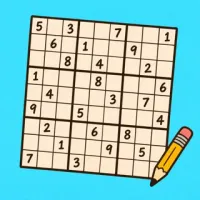
Fill the grid with 1 to 9. Play alone, race a friend, or solve one grid together.
Play Sudoku with a friend on two phones, sitting together or far apart. No account, no ads.
Play in browserHow to play
Fill every row, column and 3×3 box with 1 to 9.
No waiting! Everyone fills in numbers whenever they like.
- Some numbers are printed at the start and can't be changed. Fill the empty cells so no number repeats in a row, a column or a 3×3 box.
- Tap a cell, then tap a number to fill it in. Tap the same number again, or Erase, to clear it.
- A number that repeats in its row, column or box is marked, so you can spot it.
- Not sure yet? Turn on Notes, then tap numbers to jot small guesses in an empty cell. Tap one again to remove it.
- Hint fills your selected empty cell with the right number. Everyone gets the same number of hints.
- In the lobby, Mistakes can mark wrong numbers, or give you a limit of 1, 3 or 5. Reach the limit and you lose. When solving together, you share one limit.
- With two phones, pick Race or Together in the lobby. Race: you each solve the same puzzle, and whoever finishes first wins. Together: you both fill one grid.
Play with a friend
- Open Recess and choose Sudoku.
- Tap With a friend. Your table gets a code.
- Send your friend the code or the link. They join from a browser or the app.
Questions
Can two people play Sudoku on two phones?
Yes. Open Recess, choose Sudoku and tap With a friend. Then send your friend the code or the link.
Does my friend need to install anything?
No. Your friend can open the link in a browser and play with an internet connection. To play nearby without internet, you both need the app.