 2 players · strategy
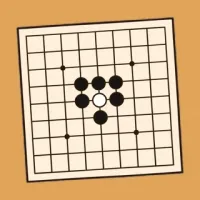
Go
Black and white stones, a few simple rules, and a game you can play for life.
Play Go with a friend on two phones, sitting together or far apart, or play the robot on your own. No account, no ads.
Play in browserHow to play
Wall in more of the board than the other player. At the end you score your stones on the board plus the empty points only your stones surround.
Black goes first, then players take turns. Whoever starts the round plays Black, and sides swap each round. White gets 7.5 extra points for going second, so a round is never drawn.
- Tap a point where the lines cross to place a stone. Stones never move once placed.
- The empty points next to a stone, up, down, left and right, are its liberties. Stones of one colour that touch share their liberties as a group.
- Fill a group's last liberty and you take it off the board. You may not place a stone that would have no liberty, unless it takes stones.
- Ko: no move may bring back a whole-board position that has been seen before. After a single stone takes a single stone, the other player must play somewhere else before taking back.
- On your turn you can pass. When both players pass in a row, play stops and the dead stones are marked.
- To mark the dead, the player to move taps each hopeless group, then Done. The other player checks the marking and taps Done to agree, or changes it and taps Done. If you disagree, tap Keep playing in the pause menu to play it out.
- Each side scores its stones on the board plus the empty points only its stones surround, after the dead stones come off. Choose a 9 board for a quick game, or 13 for a longer one.
Play with a friend
- Open Recess and choose Go.
- Tap With a friend. Your table gets a code.
- Send your friend the code or the link. They join from a browser or the app.
Questions
Can two people play Go on two phones?
Yes. Open Recess, choose Go and tap With a friend. Then send your friend the code or the link.
Can I play Go against the computer?
Yes. Choose Go and play the robot on your own, at the level you pick.
Does my friend need to install anything?
No. Your friend can open the link in a browser and play with an internet connection. To play nearby without internet, you both need the app.








 Sudoku